
dbt for Data Analytics & Engineering
My full course to help you
build production data pipelines with dbt
All video lessons are free on YouTube
Supporter Access unlocks structure, guided practice, and community
Unlock Full Access


Pricing
Course Outline
0️⃣ Course Intro▾
Course Intro▾
What is dbt▾
dbt versus dbt OSS, the hosted dbt platform, the VS Code extension, and how the old product names map to the new ones.Data & Project Intro▾
1️⃣ dbt Basics▾
Tool Setup▾
pwd, ls, and cd, and the command pattern used throughout the course.uv replaces venv, pyenv, and pip in one tool.uv init and uv sync, activate the environment, and understand pyproject.toml and uv.lock.dbt Setup▾
uv add dbt, learn what an adapter is, and scaffold the analytics/ project from scratch with dbt init.dbt_project.yml controls, what a YAML file is, and a read through dbt's sample project.profiles.yml by hand to connect dbt to DuckDB with dev and prod outputs, then prove the connection with dbt debug.dbt ls to list every node in the project and dbt debug to smoke test the config and connection.dbt seed, dbt run, and dbt test on the sample project, then inspect the resulting tables with the DuckDB CLI.target/ to see exactly what the warehouse ran, then use dbt clean and dbt compile.dbt show, its limit flag, and a recap of every core dbt command run in the lesson.dbt_project.yml, and wipe the demo database so the real project starts from a blank canvas.Models▾
data/raw/ with a script run from the repo root..sql file, then write, break, and fix your first model and preview its rows..gitignore that keeps data out of the repo, make the first commit, and start the ritual of ending every lesson with a commit.Dependencies & Jinja▾
ref() both points at a model and records the dependency so dbt builds in order.dbt compile to show the warehouse only ever receives plain SQL.--select, reading name, +name, and name+ to pick upstream or downstream models.Properties▾
source(), using external_location to tell dbt where the files live.persist_docs, and split the file into sources.yml and schema.yml.Docs & the DAG▾
dbt docs generate and dbt docs serve, then tour a model page: description, lineage, code, and columns.monthly_summary from two ref() calls so the graph converges into a diamond, then regenerate the docs and watch it grow.Materializations▾
config(materialized='table') at the top of the file and watch the database file grow with real rows.dbt_project.yml, then prove that a file-level config() overrides it.Tests - pt 1▾
not_null test in YAML, read the compiled query behind it, and see both a passing test and a failure with a row count.dbt build, and watch a failing upstream test skip every downstream model.monthly_summary with unique and not_null on its month column.🚀 Ship & Automate — Project 1▾
Ship & Automate▾
dbt build --target prod and commit a second ci/profiles.yml so the CI runner knows where to write.dbt build, and publishes the warehouse on every push and on a weekly schedule.ATTACH over https, plus a map of every YAML file in the pipeline.Showcase▾
docs/ folder and serve it live on GitHub Pages, then wire the README badge to it.2️⃣ Advanced dbt▾
To the Cloud▾
catalog.schema.object address format, and waking the SQL warehouse.raw.jobs tables, with no laptop in the loop.dev and prod catalogs as environments beside the raw landing zone, so both read the same raw data while builds land separately.Local Setup▾
uv init, uv sync, and uv add dbt, and see which work runs on your laptop versus Databricks.databricks profile with your warehouse hostname, HTTP path, and a personal access token, plus the optional env_var() alternative.dbt init: six folders, a three-key dbt_project.yml pointing at the profile, and a .gitignore.dbt debug against the cloud and read it as a checklist, then round-trip an ad-hoc query with dbt show --inline and find it in Query History.raw and dev connections to browse the warehouse from the editor.logs/ gap, confirm no token-shaped file is tracked, and make Project #2's first commit.Data Modeling▾
dbt_project.yml.raw.jobs in sources.yml with a catalog and schema so source() compiles to the right address, with nothing run on the warehouse.stg_job_postings end to end: discover columns with DESCRIBE, write the source and cleaned CTEs, drop the scraper's error rows, and polish.stg_job_skills as the deliberately boring staging model: rename, order, trim, and stop, with no joins or business logic.staging.yml and turn on persist_docs project-wide so the warehouse carries the comments.Jinja Pt.2▾
analyses/ folder holds SQL that dbt compiles but never builds, a zero-risk sandbox you run with dbt show and that dbt build skips.{% set %} list and a {% for %} loop in the sandbox and read the compiled output to see Jinja writing three SELECT statements from one template.| title, | lower, and | replace, chaining them to fix casing and build column names.if expression and loop.last to glue looped statements into one query with UNION ALL, then run it with dbt show.has_* boolean flags in staging with one loop, parse the JSON once in its own CTE, and read the compiled SQL.Macros Pt.1▾
macros/ folder, explored through the docs site.slugify() macro from the filter chain, test it with dbt compile --inline and the sandbox, then swap it into the flags loop.dbt_utils with packages.yml and dbt deps, then use get_column_values so the loop reads roles from the data instead of a typed list.default_staging schema name to dbt's own generate_schema_name macro, then override it so staging lands in dev.staging.Macros Pt.2▾
salary_min, salary_max, salary_period, and salary_currency columns, with the TRY_CAST and USD-stamp decisions explained.parse_salary(part) macro, then add salary_avg as a one-liner and finish staging.The Star Schema▾
int_skill_observations to re-grain 3.3 million skill pairs into one row per skill, and learn the test for when an aggregation belongs in intermediate.fct_job_postings as the curated center of the star with one row per posting, check its actual grain, and start marts.yml.skill_categories taxonomy as a version-controlled seed CSV with dbt seed, give it a schema, and learn when a seed is the right choice.dim_company by aggregating the fact and dim_skill by joining the seed to intermediate counts, two different ways to build a dimension.bridge_job_skills to resolve the many-to-many between jobs and skills, completing the star schema in dev.marts.Analyses▾
analyses/ instead of models/, and the two run paths: compile then run the SQL, or dbt show in the terminal.var() knob to filter by role.dbt show and again from the compiled file in SQLTools.Tests Pt.2▾
accepted_values, make the ERD's foreign-key lines executable with relationships, and choose error versus warn severity.non_negative test as a {% test %} block in tests/generic/ and call it from YAML on the salary columns like a built-in.not_null and unique on job_id, cut the id-less rows in staging, dedupe the fact with QUALIFY, and move the grain tests to where the promise lives.Tests Pt.3▾
analyses/ to tests/, interrogate its failures in two layers, and ship it at warn severity.stg_job_postings against fake rows to check the salary parser before any build, and see when it runs in dbt build.Snapshots▾
var('as_of') and QUALIFY, and watch one posting's salary change between two dates to specify what a snapshot must do.snapshots.yml with the check strategy, run dbt snapshot night by night, backfill the year, then query who edits their postings.Incremental Models▾
job_id.fct_job_postings to incremental with a merge config and an is_incremental() filter, reading each run's receipt with DESCRIBE HISTORY.--full-refresh rebuild, then run the full project build and commit the end of the Advanced chapter.🏗️ Ship & Orchestrate — Project 2▾
Ship & Orchestrate▾
prod.load_raw notebook, then dbt deps, dbt debug, and dbt build into the prod catalog with temporary credentials and zero secrets.Showcase▾
docs/, publish it on GitHub Pages, wire up the badge and About link, and see the same descriptions in Unity Catalog.Course Resources
💽 Course Dataset — Raw Job Postings
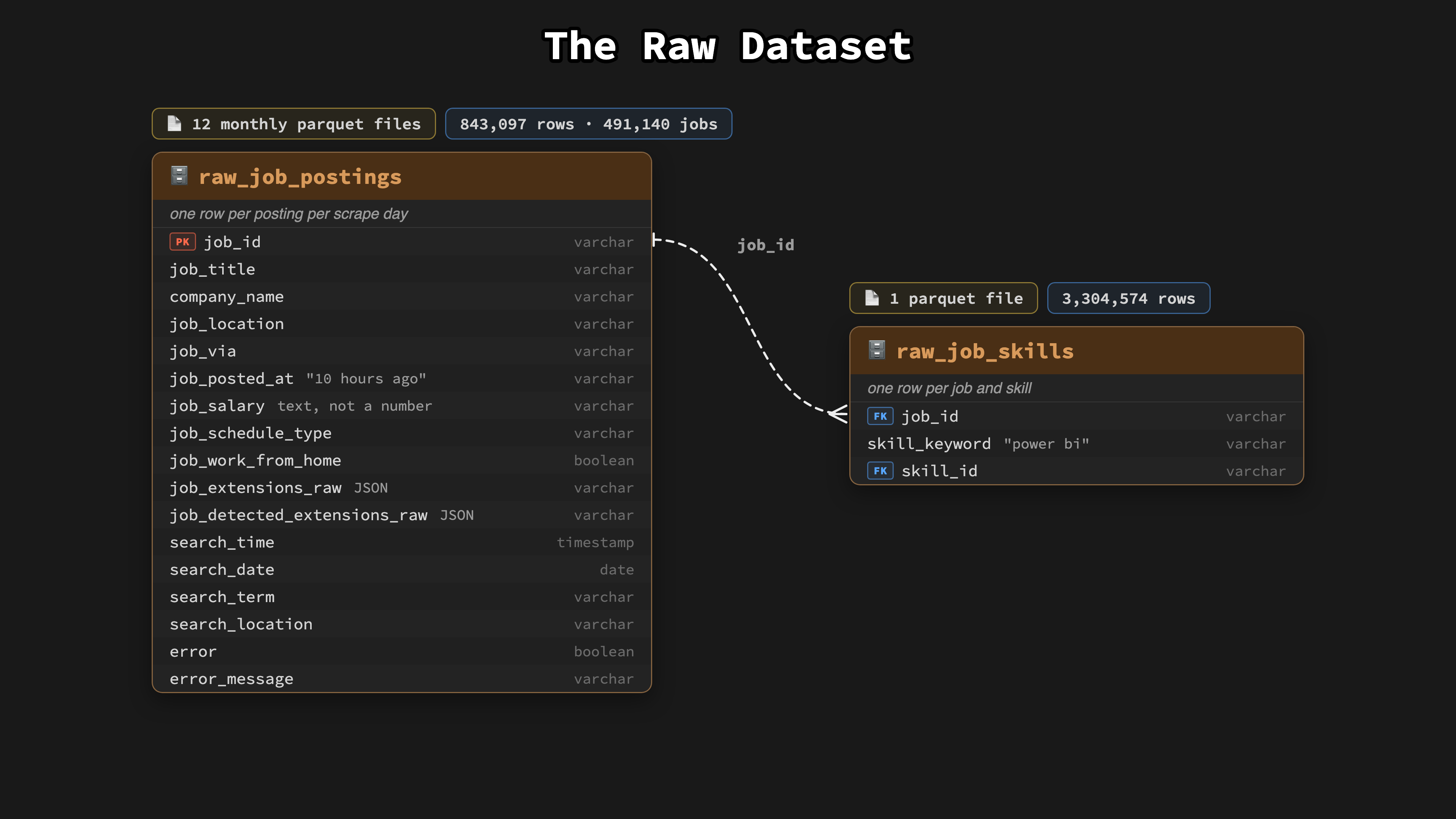
This is the primary dataset used throughout the entire course. It contains a year of real-world data job postings (July 2025 to June 2026) scraped by my datanerd.tech pipeline, delivered as raw parquet files that you transform with dbt.
🔗 Step 1 — Grab the download script
From your project root, run this in your terminal (we do this together in Lesson 1.03):
💻 Step 2 — Download the data
Run the script once and 13 parquet files (~81MB) land in data/raw/:
Prefer to browse the files? Dataset release on GitHub 👉 https://github.com/lukebarousse/dbt_Analytics_Engineering_Course/releases/tag/dataset-v1
📊 Project 1 — Local dbt Pipeline
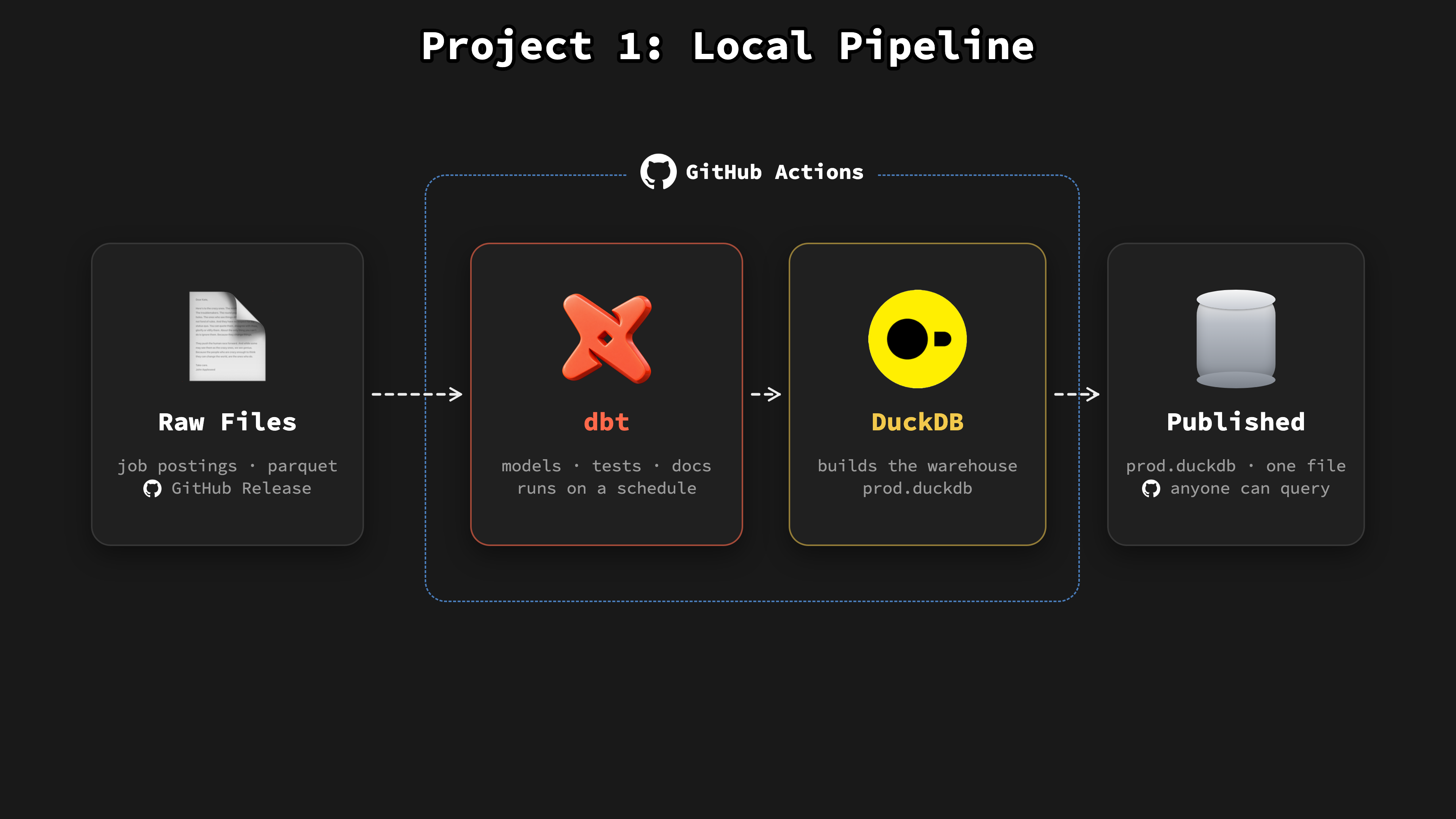
Build a full dbt pipeline on your laptop with DuckDB as the warehouse: raw parquet files in, one staging view and three mart tables out. Then push it to GitHub, where GitHub Actions rebuilds and tests it on a schedule and publishes the warehouse as a file anyone can query.
🔗 Project #1 Answer Key
👉 https://github.com/lukebarousse/dbt_Analytics_Engineering_Course/tree/main/project_1
🏗️ Project 2 — Production Cloud Pipeline
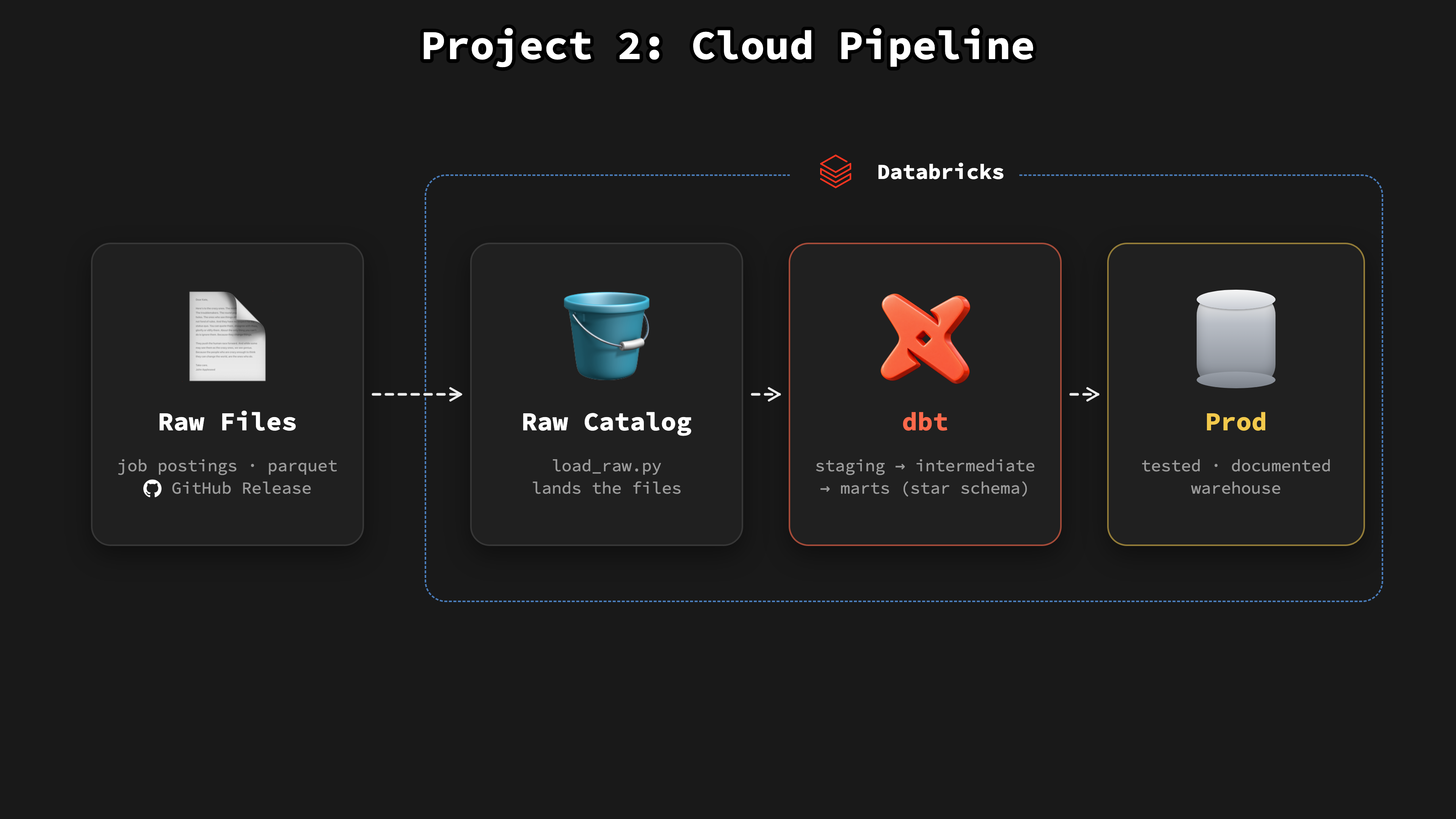
Build the pipeline again in the cloud on Databricks: models split into staging, intermediate, and marts layers ending in a star schema, snapshots that track history, and incremental models that only process new rows. A nightly Databricks job loads the raw data and builds prod with nobody at the keyboard.
🔗 Project #2 Answer Key
👉 https://github.com/lukebarousse/dbt_Analytics_Engineering_Course/tree/main/project_2
Supporter Resources
📝 Practice Problems
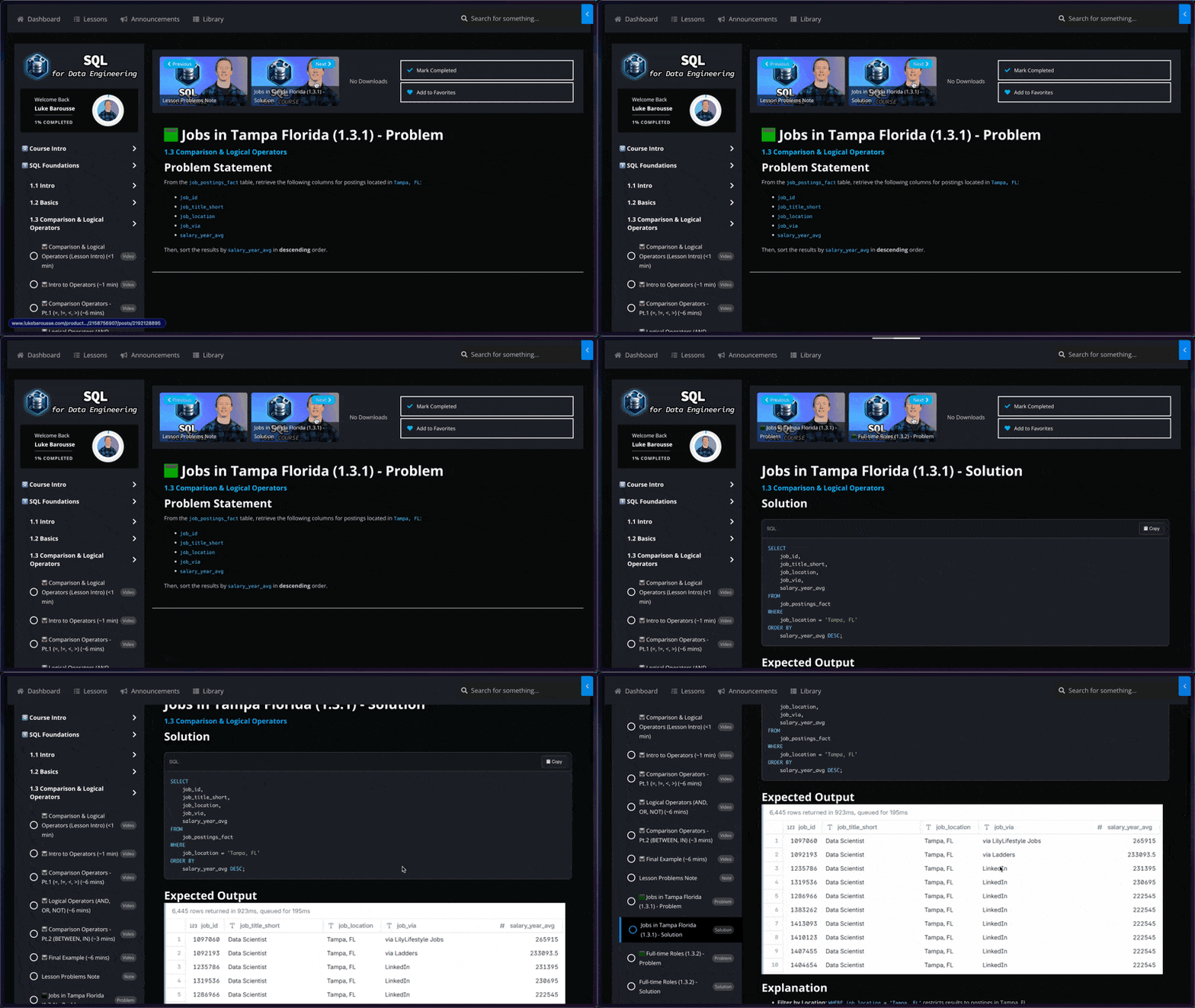
🧩 100+ Interview-Level Problems: Learn dbt faster with meticulously designed exercises spanning a range from easy to challenging
🔍 Detailed Solutions and Results: Every problem is accompanied by a comprehensive solution and your expected results
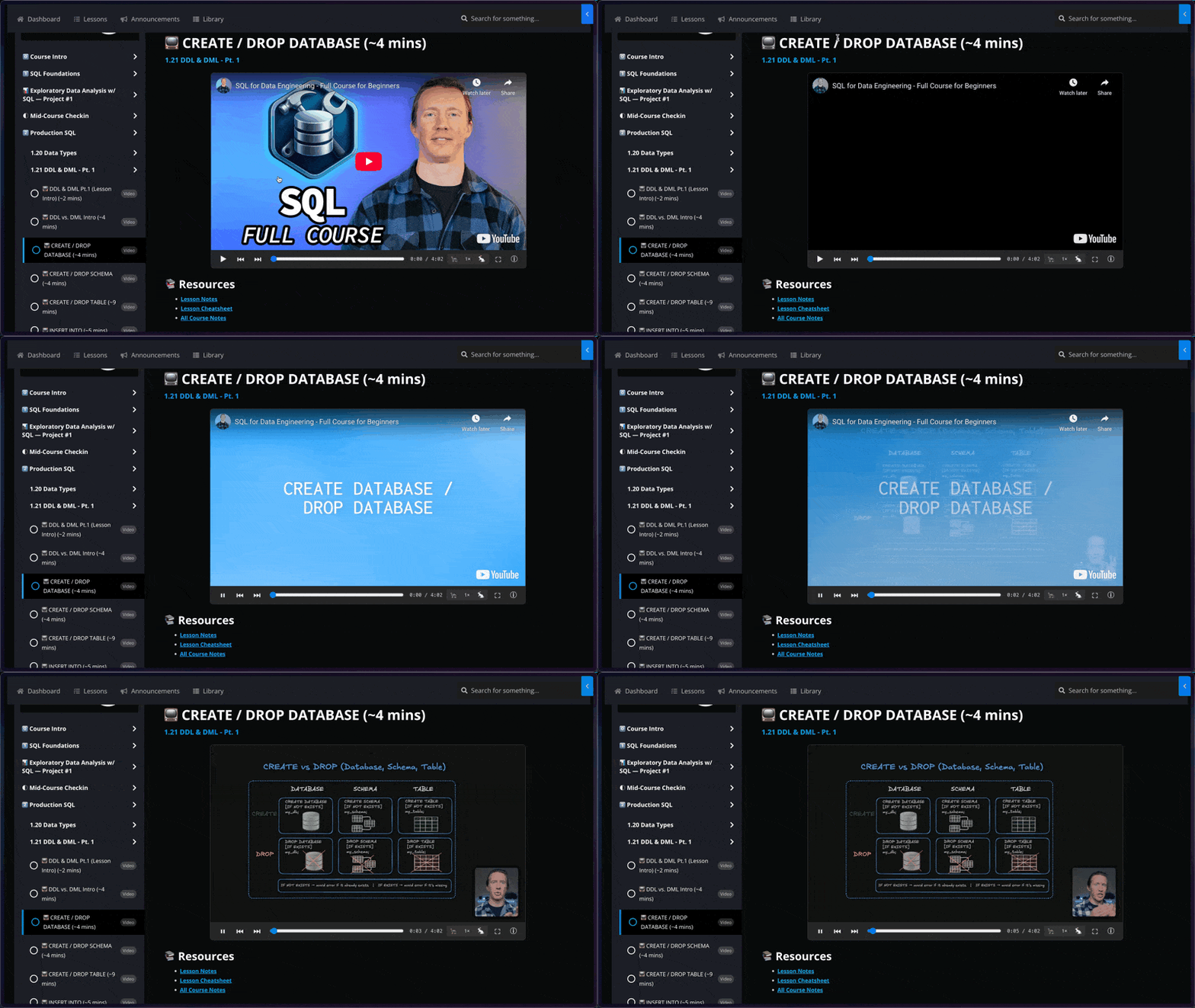
📺 Structured Video Lessons
🚢 Navigate with Ease: Jump instantly to any lesson or specific topic within the course – no more wasting time scrubbing through hours of video to find what you need
🧠 Focused Learning: Master concepts more effectively with dedicated, bite-sized videos for each distinct lesson, allowing for better concentration and easier review
🗒️ Lesson Notes & Cheat Sheets
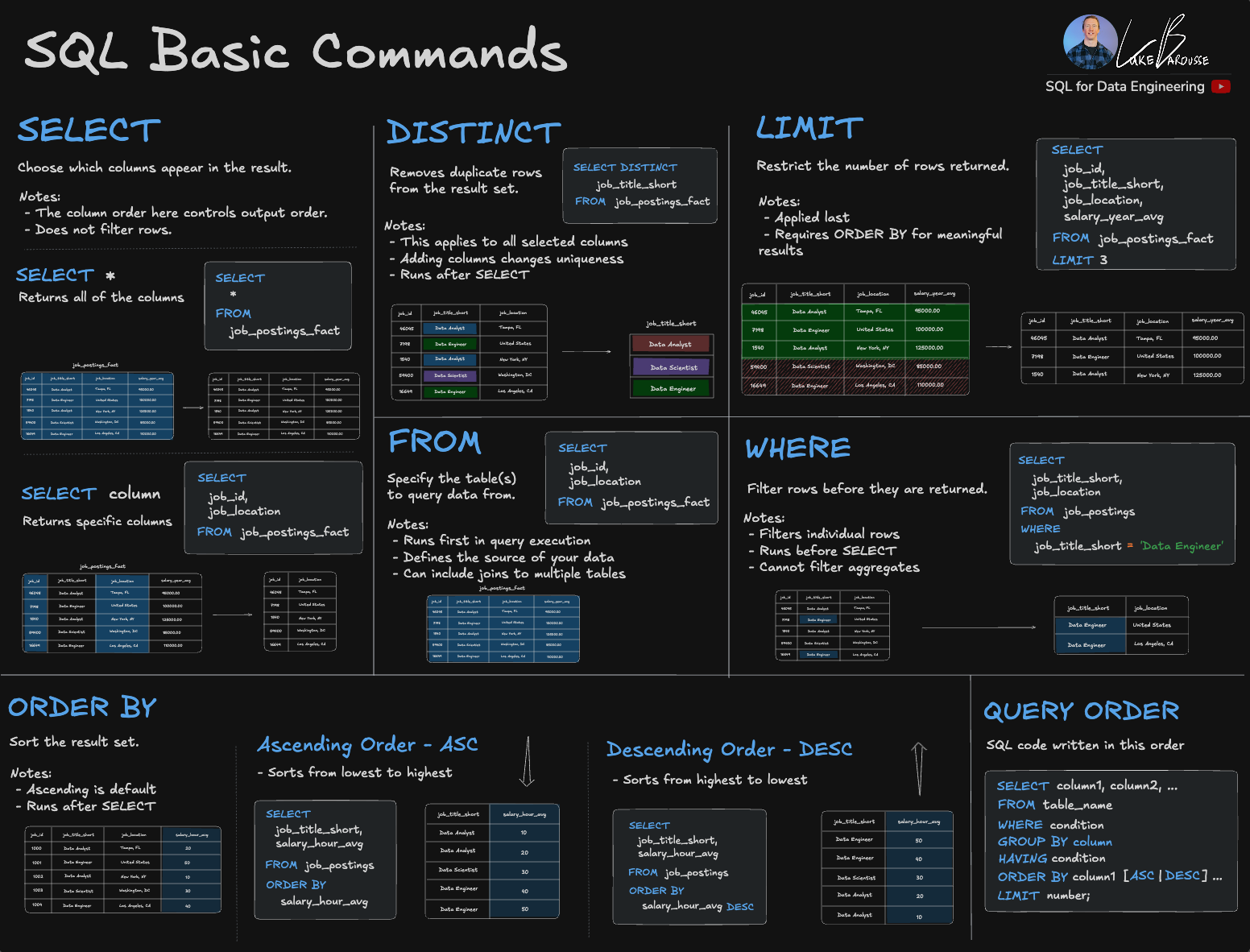
📖 Structured Lesson Notes: Step-by-step walkthroughs for every topic, helping you follow along with each lesson and understand why models, tests, and pipelines are built the way they are
📋 Practical Cheat Sheets: Quick-reference guides for core dbt commands, Jinja and macros, testing, and data modeling concepts you’ll reuse across projects
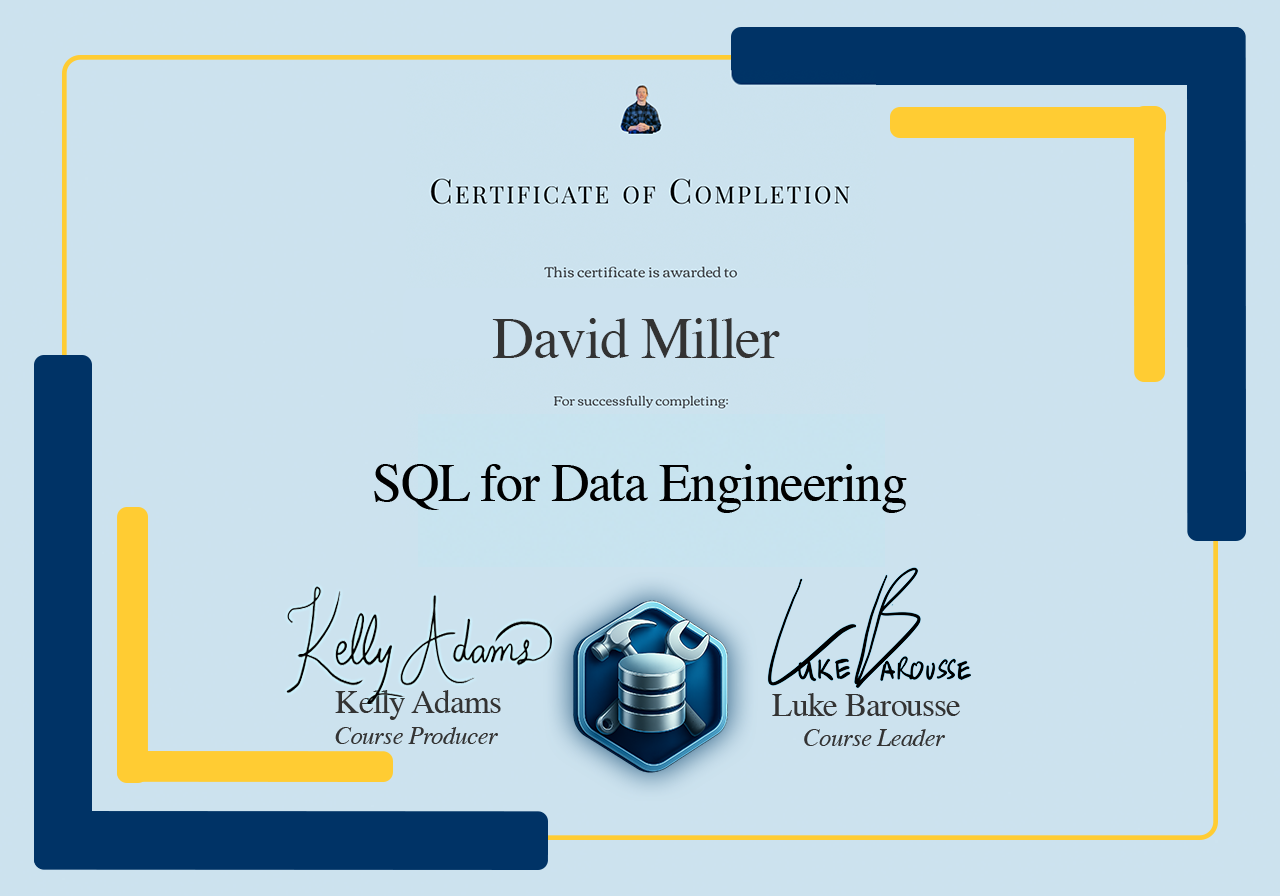
✨ Certificate of Completion
🎖️ Certificate of Completion: Receive a certificate to validate your new skills and enhance your LinkedIn profile
🧑💻 Showcase Experience: Share how you used real-world data to help solve a problem for data professionals

About the Instructor
Luke Barousse - Course Instructor

🌎 Real-world Experience with dbt
Builds data pipelines with tools like dbt, from a Global Fortune 500 company to MrBeast's team, and today for datanerd.tech, the job postings pipeline behind this course's dataset.
💡🤖 Sharing Knowledge about Data & AI
Guides a community of +600,000 data nerds in harnessing analytical tools to revolutionize their professional workflows.
🎓 Trusted Course Developer
Imparted wisdom to +30,000 learners on DataCamp in leveraging analytical tools to elevate their career efficiency.
100% Satisfaction Guarantee or Your Money Back
⏱️ If you don’t feel the course problems and notes help you learn this tool as it has for countless others, I’ll refund your money!
📫 Email me within 30 days of purchasing the course on why you are unsatisfied, and I’ll return the full purchase price to you ASAP.

FAQ
What is “dbt for Data Analytics & Engineering”?
Who is this course for?
Should I take this course or "SQL for Data Engineering"?
Are the course problems and notes required?
What are the computer requirements?
How long should this course take to complete?
📣 Enrollment Paused 📣
ChatGPT for Data Analytics
🤚 I've paused signups to the course to revise it for ChatGPT updates 🤓
Signup to get notified when it's available (and get my newsletter as a bonus 📩)